ProductSell
Marketing that ends in the pipeline, not in a list export.
Plan campaigns and content on one calendar, email segments of your leads and contacts, and capture leads from your website, on the same records sales works from. Write an email in the builder, or design it in Claude and import the HTML. Every open and click comes back to the person, the campaign and the account owner.
Replaces
- the content calendar spreadsheet, Asana or Trello
- HubSpot campaign reports and the trade-show ROI spreadsheet
- Mailchimp, Constant Contact or HubSpot Marketing email
- HubSpot sequences and the follow-up reminders on sticky notes
- exporting lists to a spreadsheet and uploading them to an email tool
- the lead spreadsheet or a marketing CRM
- website form plugins and copy-paste from the inbox
One calendar for every campaign
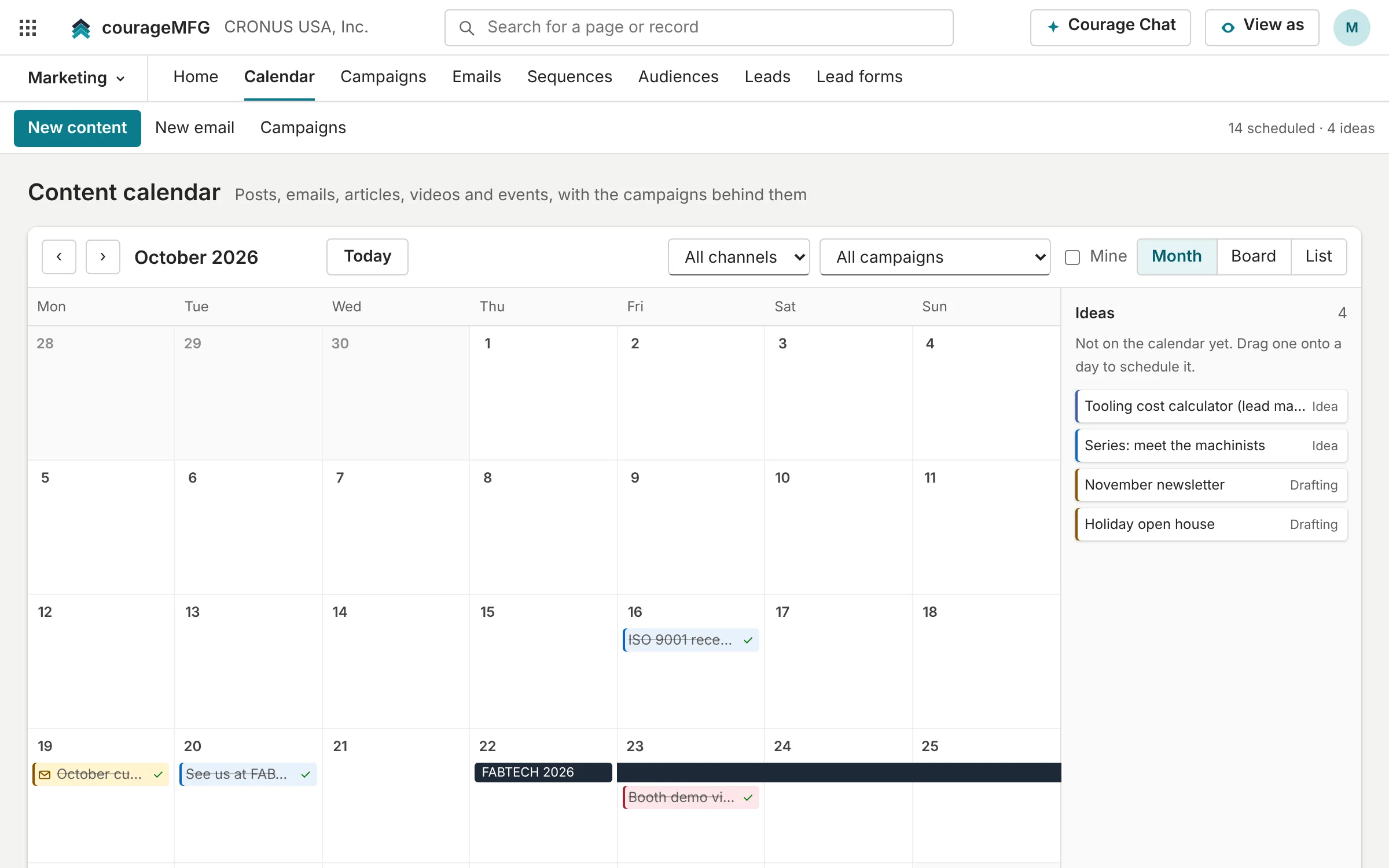
Posts, emails, articles, videos and events on one calendar, each with its campaign, owner and stage. Campaigns carry their budget, actual cost, leads, pipeline and won revenue, so cost per lead comes from the records, not a spreadsheet.
- Month, board and list views; drag to reschedule
- A scheduled email sits on its day, and dragging it moves the send
- Ideas wait without a date until someone picks one up
Emails that read like a person wrote them
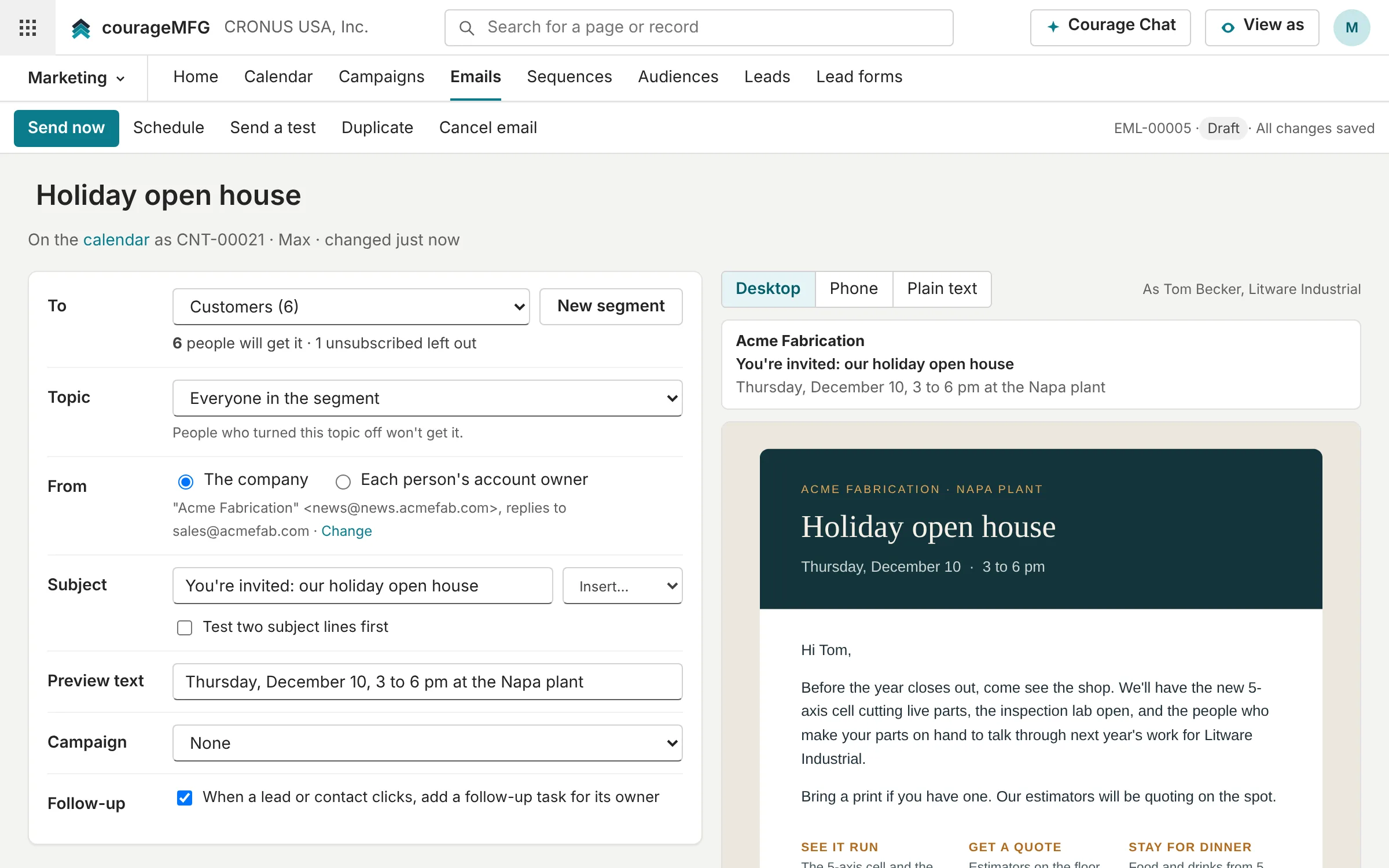
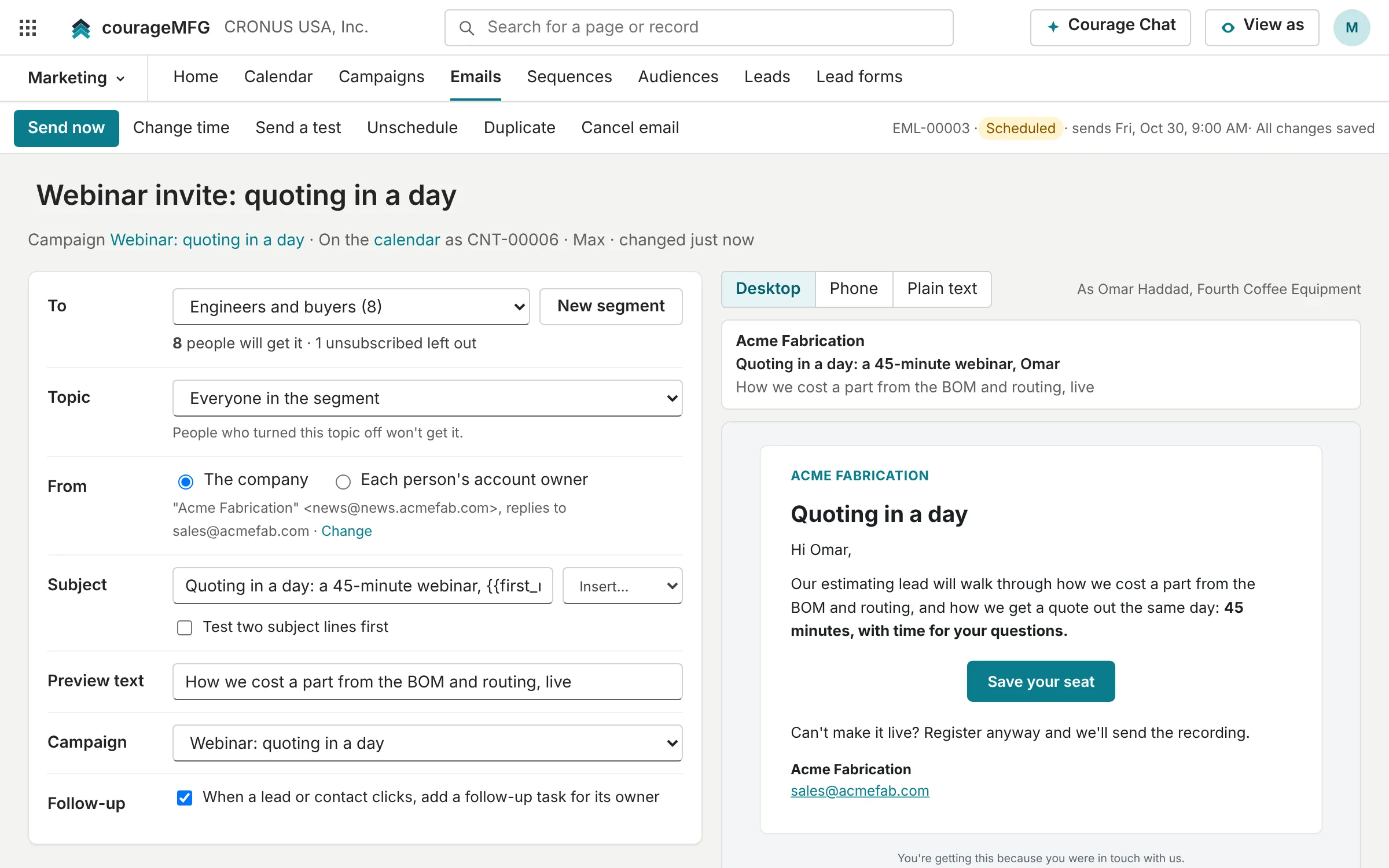
Write with a few blocks: headings, text, buttons, images, quotes and a signature, with merge tags such as first name and company. The preview comes from the same code that sends, as a real person from the audience, on desktop, on a phone and as plain text.
- From the company, or from each person's own account owner, with replies going to them
- Send a test, schedule it or send it now
- Test two subject lines on part of the list, then send the winner to everyone else
Design it in Claude. Send it from CourageMFG.
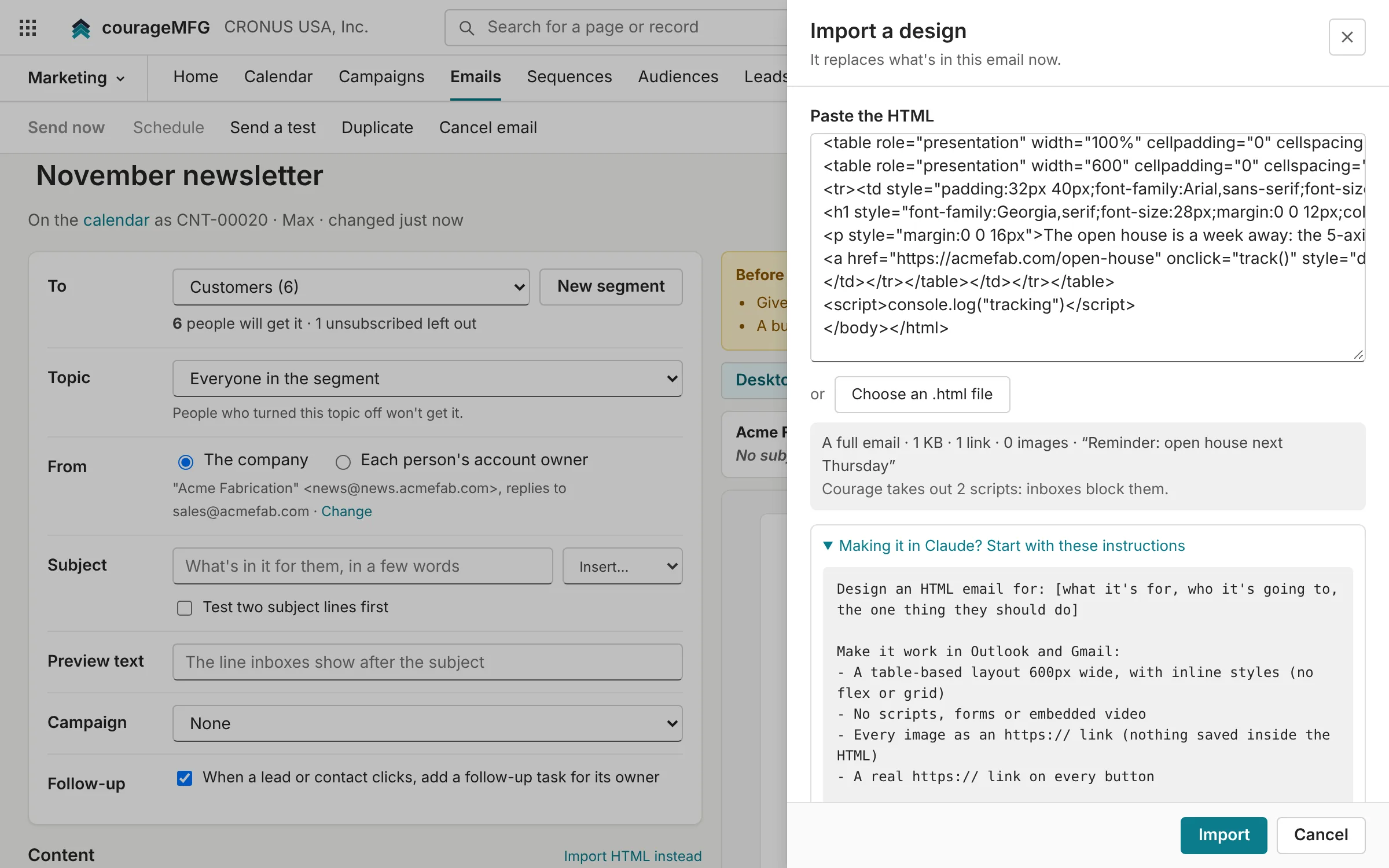
Ask Claude, a designer or another email tool for the design, then paste the HTML or upload the file. CourageMFG takes out what inboxes block, fills in the merge tags, tags the links for the campaign, and adds your footer with the postal address and unsubscribe link. It works for a one-off email and for any email in a sequence.
- Instructions to copy into Claude, so the design comes back built for Outlook and Gmail
- Checked before it can go out: dead links, example links, images that won't load
- Edit the HTML in place, or download it, change it in Claude and replace it
Results that reach the pipeline
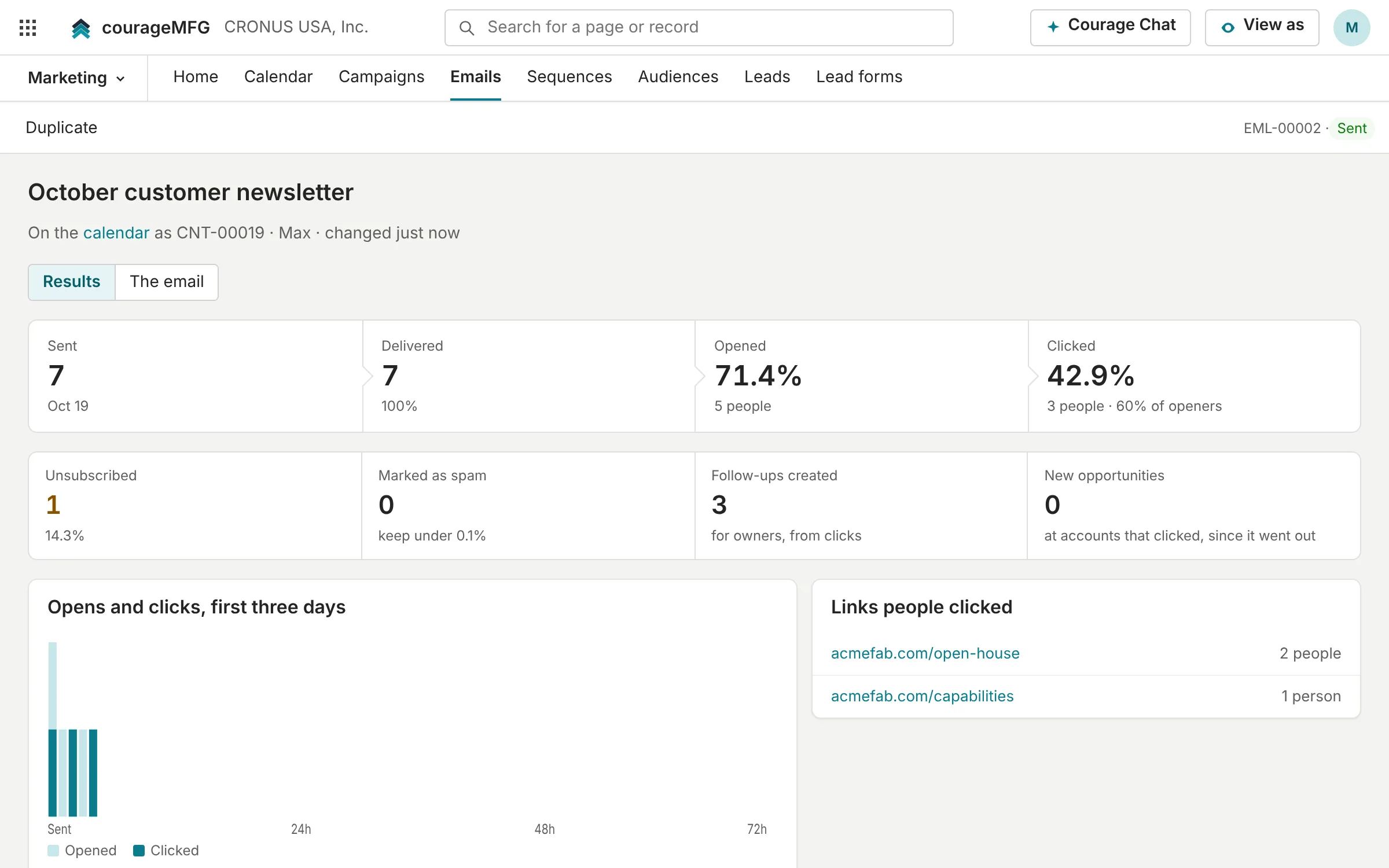
Delivered, opened, clicked, unsubscribed, bounced and marked as spam, for the email and for each person, with opens and clicks over the first three days and the links people clicked. A first click can add a follow-up task for the owner, new opportunities at accounts that clicked are counted, and a lead form reached from an email link credits that campaign.
Follow-up that runs on its own
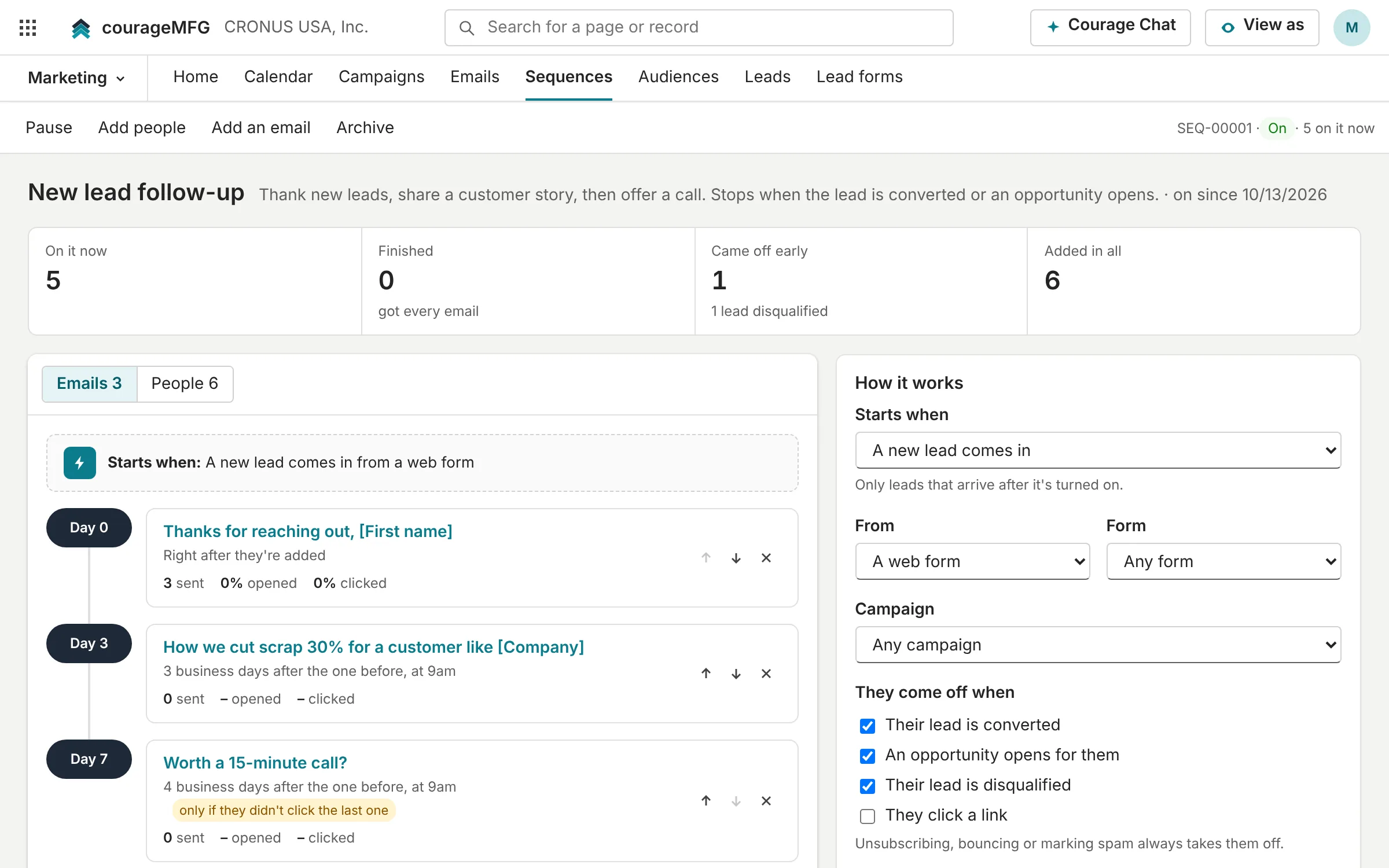
Sequences send a few emails days apart. They start when a new lead comes in from a web form, a source or a campaign, when someone enters a segment, or when you add people by hand. Each email waits business days and goes at a set hour, and can go only to people who didn't open or click the one before.
- Starters for new-lead follow-up, a new-customer welcome and winning back quiet contacts
- People come off when the lead converts, an opportunity opens or they click
- Unsubscribing, bouncing or marking as spam always takes them off
Segments, consent and the unsubscribe the law asks for
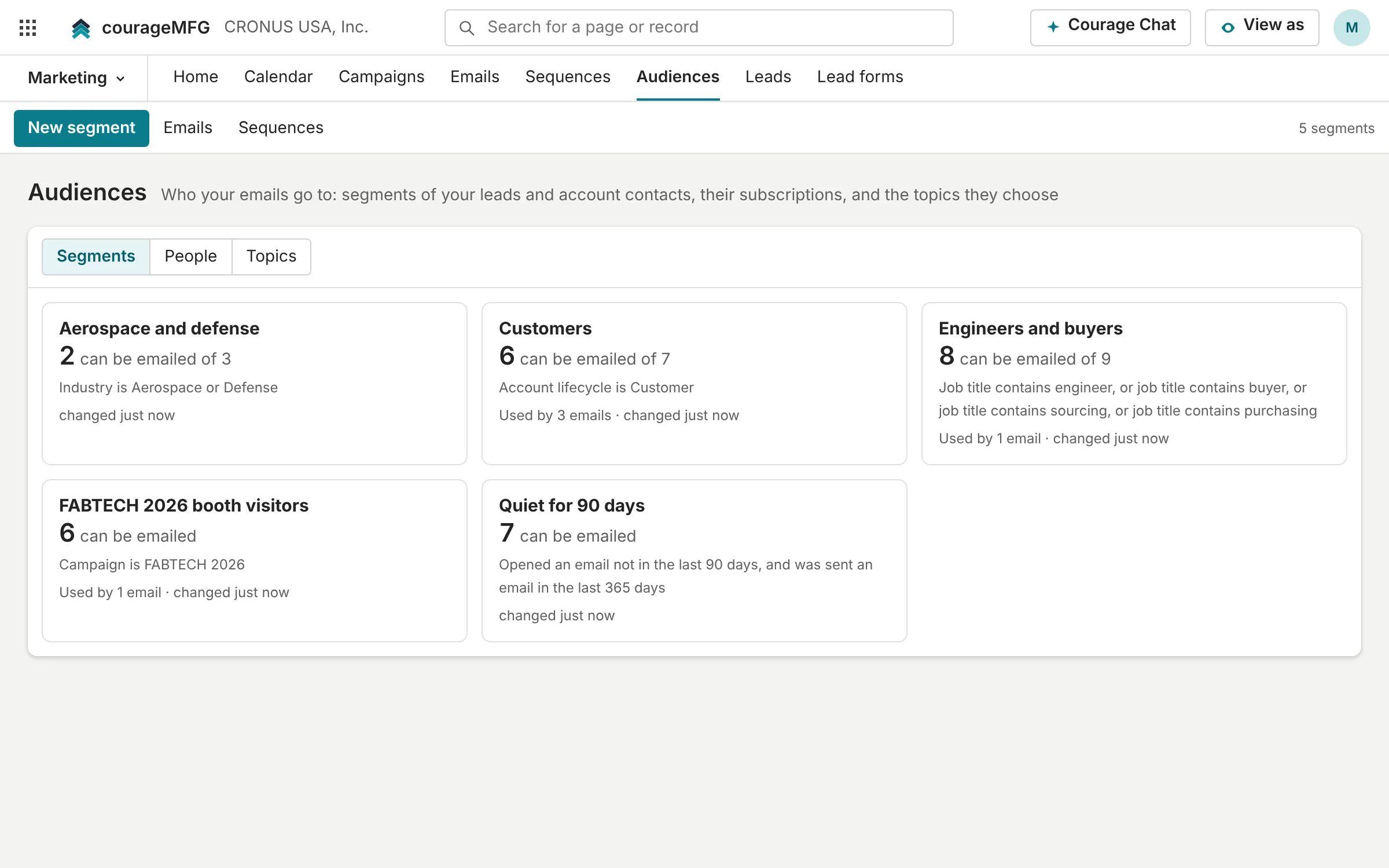
Segments are rules over your leads and account contacts: lifecycle, industry, region, lead source, campaign, owner, job title, open opportunity, and what people opened or clicked. Each one shows who can be emailed, and who's left out and why: unsubscribed, bounced, marked as spam, no consent, or emailed too recently.
- The postal address, an unsubscribe link and one-click unsubscribe in every email
- Topics people turn on and off on their own preference page
- Consent recorded from lead forms, and an opt-in-only mode where the law needs it
Leads from the website and the trade show
A hosted form or a snippet for your website, trade-show lists and referrals become leads with an owner and a campaign. Qualify them, then convert each one to an account, a contact and an opportunity that keeps its campaign.
Your list stays yours
People, consent, segments and every result live in your own database, so there's no list to export and upload to an email tool. Resend delivers each email from your own sending domain.
The applications
For marketing, sales and the account owners who follow up. Each one is a view of the same records; where Business Central already does the job, CourageMFG links straight to it.
Content calendar
LiveEvery post, email, article, video and event on one calendar, with the campaign behind it.
Replaces the content calendar spreadsheet, Asana or Trello
Campaigns
LiveTrade shows, webinars, email pushes and content series, with their cost, leads, pipeline and won revenue.
Replaces HubSpot campaign reports and the trade-show ROI spreadsheet
Emails
LiveNewsletters, announcements and invitations to segments of your leads and contacts, with results that tie to pipeline.
Replaces Mailchimp, Constant Contact or HubSpot Marketing email
Sequences
LiveA few emails that go out on their own, days apart, starting when a lead comes in or someone enters a segment.
Replaces HubSpot sequences and the follow-up reminders on sticky notes
Audiences
LiveSegments of your leads and contacts, who can be emailed and why not, and the topics people choose.
Replaces exporting lists to a spreadsheet and uploading them to an email tool
Leads
LiveCapture and qualify leads, then convert them to an account, a contact and an opportunity.
Replaces the lead spreadsheet or a marketing CRM
Lead forms
LiveA hosted form or a snippet for your website; every answer becomes a lead.
Replaces website form plugins and copy-paste from the inbox
See it on your own data.
We'll connect CourageMFG to a copy of your Business Central and walk your team through your own items, orders, suppliers and machines.